
Xero
$20 Cashback
All Customers
$20
Take note
- To be eligible for cashback, users must purchase a subscription and connect their bank feed
Cashback timeline
Purchase
Tracked in
2 days
Confirmed in
90 days
Terms and exclusions
Refunds, cancellations and no-shows
Any rejected, cancelled, refunded, exchanged or returned purchases will not be eligible for Cashback.
Tracking disclaimers
- Your Cashback may be tracked at a different rate initially and adjusted to the correct rate when we confirm the transaction details.
Other terms and conditions
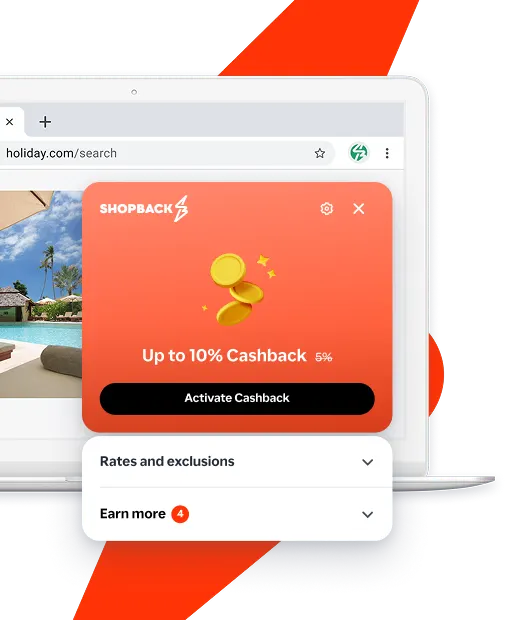
Never miss Cashback on Xero
Get instant alerts on Cashback when you shop online with the ShopBack extension.
Cashback tips
Check carefully for Cashback exclusions and caps before you buy or book to avoid disappointment. Don't forget the terms and conditions on any promotion and campaign pages.
Complete your shopping in one go: Always start from this platform to visit the store directly, for every new transaction. If your store visit is interrupted by an app update or download screen, restart your shopping from our platform.

Don't click on any third party links or extensions or use VPN or adblocking software, as they could result in your Cashback not being tracked. Some examples include: Facebook ads, Google Ads, other loyalty or cashback extension links.

For Xero, you need to clear your cart, close the Xero app, open this platform to visit the Xero app or website and complete your purchase there in order to earn Cashback. You need to do this for each purchase.
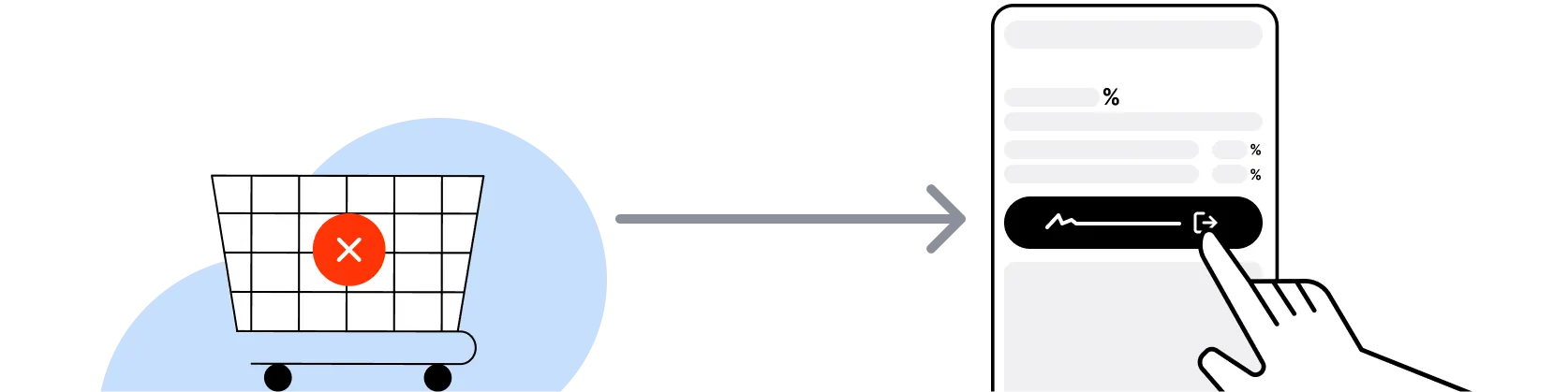
If you encounter payment errors during your purchase, you should restart your visit to the Xero from this platform to ensure that your Cashback continues to be tracked.
Xero can only confirm to us that a transaction is recorded if you accept all cookies that appear on their pages.
Shop and earn at similar stores
Xero Singapore on ShopBack
What is Xero Singapore?
Xero is a New Zealand-headquartered cloud accounting software for small and medium businesses, so pick your plan, then sign up through ShopBack before you pay, where ShopBack Cashback works like a discount, only easier than a promo code. Xero Singapore localises pricing in SGD (GST-inclusive), supports GST reporting to IRAS, and integrates with SG bank feeds (DBS, OCBC, UOB, and others). Competes with QuickBooks Online, MYOB, ABSS (formerly AccountEdge), AutoCount, Financio, and Wave (free tier) in the SG SME accounting software market. This content is educational; consult a qualified accountant for tax and compliance advice specific to your business.
Xero Singapore pricing plans?
Xero Singapore offers tiered monthly plans (Starter, Standard, Premium) with feature scaling on invoice quantity, bank transaction volume, multi-currency, and payroll. Prices are quoted in SGD with GST. Current pricing is published on xero.com/sg/pricing-plans; verify before signing up as plan tiers and pricing evolve. Xero rarely runs sitewide sales; savings flow through introductory offers on new-customer signup and multi-org discounts.
Xero Singapore free trial?
Xero offers a 30-day free trial for new customers (typically requires a credit card at signup for post-trial billing continuity). During trial, all Xero features on the chosen plan tier are accessible. Trial and new-customer introductory discount codes typically cannot be combined; if a code offers % off first months, choosing the code path may replace the free-trial mechanic. Verify current trial and offer terms on xero.com/sg/legal/offer-details before signing up.
Xero vs QuickBooks vs MYOB vs ABSS in Singapore?
Xero typically wins on cloud-native UX, bank feed automation, app marketplace breadth (2,000+ integrations), and continuous updates. QuickBooks Online is Xero's direct competitor with a strong app ecosystem and Intuit-managed payroll (in some markets). MYOB has established SG SME market share with strong desktop-legacy features migrated to cloud. ABSS (formerly AccountEdge) leans desktop-first with local support depth. AutoCount and Financio target smaller SG SMEs at lower price tiers. For a cloud-native SME starting fresh, Xero or QuickBooks; for established firms on desktop legacy, MYOB or ABSS migration path.
Does Xero support Singapore GST and IRAS reporting?
Yes. Xero Singapore supports GST tracking on transactions, quarterly GST return preparation (GST F5), and reporting formats compatible with IRAS filing. GST is applied at the current statutory rate on qualifying transactions per Xero's tax codes. For IRAS-approved e-filing integration, verify the current status via xero.com/sg. Consult a qualified accountant or IRAS-approved tax agent for GST registration and filing advice specific to the business.
Xero Singapore promo codes?
Xero periodically issues new-customer promo codes on its own site offering a percentage off the first few months. Code availability rotates through the year; check current offers on xero.com/sg. Codes typically cannot be combined with the free trial. Partner-referred codes from accountants and bookkeepers may exist separately.
Xero Partner Programme for accountants?
The Xero Partner Programme is for accounting and bookkeeping professionals with tiers (Bronze, Silver, Gold, Platinum, Champion) based on client-count and Xero-certified staff. Partner benefits include practice-management tools, discounted client subscriptions, and Xero Advisor Directory listing. Separate from consumer signup flow; not typically stackable with new-customer promo codes.
How do I earn ShopBack Cashback on Xero Singapore?
Go through ShopBack Singapore before you pay and the Cashback tracks to your ShopBack account. For Xero, start from the Xero page on ShopBack and complete the paid subscription sign-up. Cashback may depend on a qualifying action such as a minimum subscription period; the Xero page on ShopBack shows the qualifying-action detail and the live rate.
Last updated: 20 Oct 2026