WorldFirst
$80 Cashback
Account funded
$80
Cashback timeline
Purchase
Tracked in
2 days
Confirmed in
65 days
Terms and exclusions
Refunds, cancellations and no-shows
Any rejected, cancelled, refunded, exchanged or returned purchases will not be eligible for Cashback.
Tracking disclaimers
- Your Cashback may be tracked at a different rate initially and adjusted to the correct rate when we confirm the transaction details.
Other terms and conditions
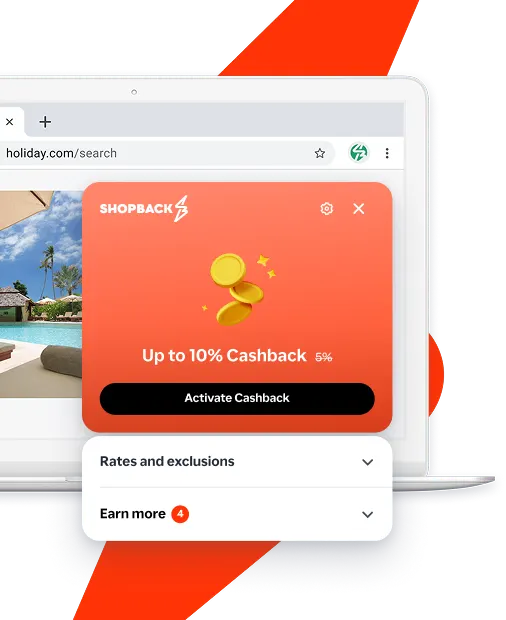
Never miss Cashback on WorldFirst
Get instant alerts on Cashback when you shop online with the ShopBack extension.
Cashback tips
Check carefully for Cashback exclusions and caps before you buy or book to avoid disappointment. Don't forget the terms and conditions on any promotion and campaign pages.
Complete your shopping in one go: Always start from this platform to visit the store directly, for every new transaction. If your store visit is interrupted by an app update or download screen, restart your shopping from our platform.
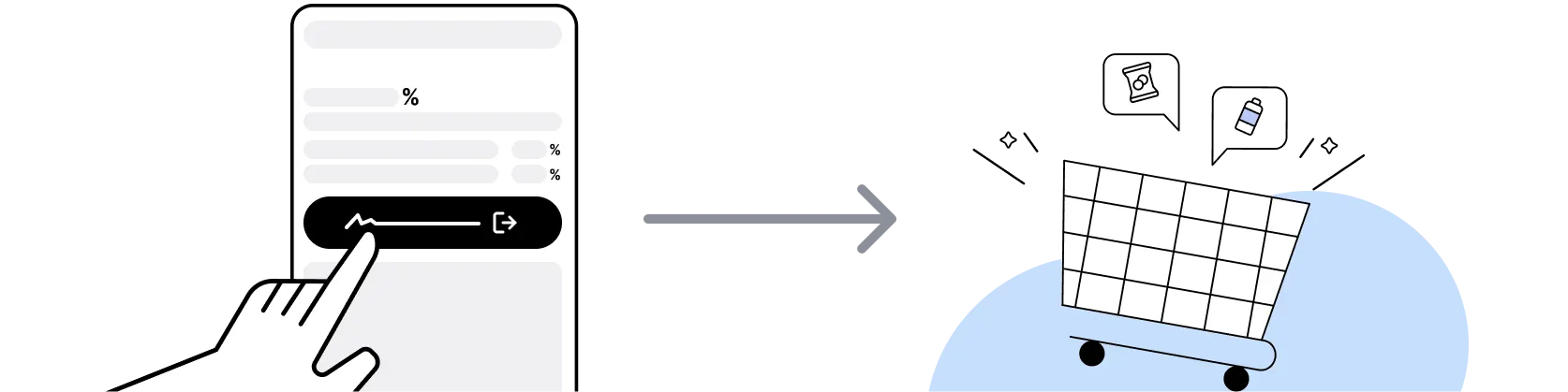
Don't click on any third party links or extensions or use VPN or adblocking software, as they could result in your Cashback not being tracked. Some examples include: Facebook ads, Google Ads, other loyalty or cashback extension links.

For WorldFirst, you need to clear your cart, close the WorldFirst app, open this platform to visit the WorldFirst app or website and complete your purchase there in order to earn Cashback. You need to do this for each purchase.
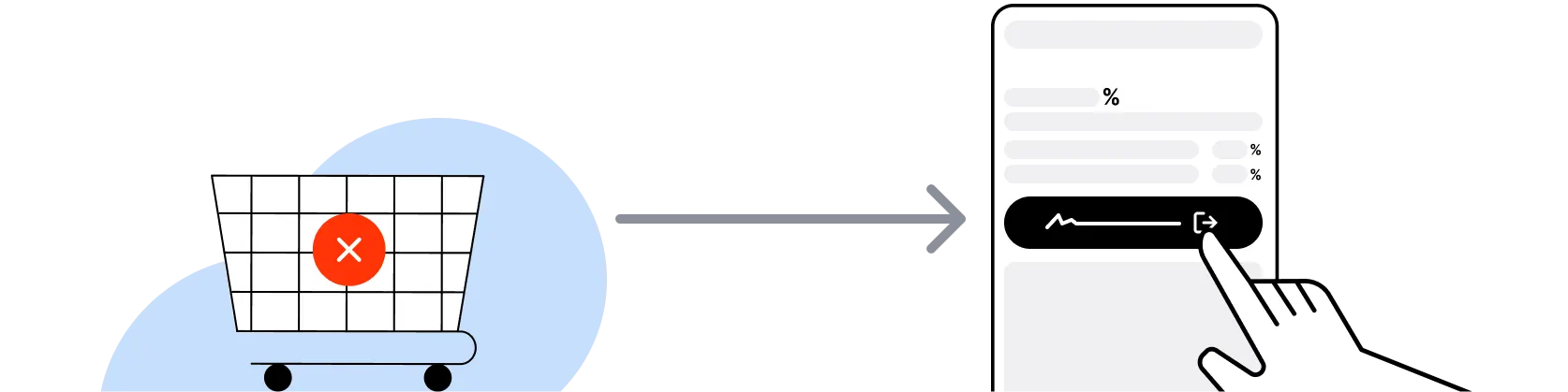
If you encounter payment errors during your purchase, you should restart your visit to the WorldFirst from this platform to ensure that your Cashback continues to be tracked.
WorldFirst can only confirm to us that a transaction is recorded if you accept all cookies that appear on their pages.
Shop and earn at similar stores
WorldFirst on ShopBack
What is WorldFirst?
WorldFirst is a cross-border payments provider founded in 2004 and now part of Ant International, so choose your account, then sign up through ShopBack before you pay: ShopBack Cashback works like a discount, only easier than a promo code. Its core product is the World Account, which gives businesses local bank details in 22 currencies, a multi-currency wallet and transfers to 200+ countries and regions, and it says more than 1.5 million SMEs have used it. Activate ShopBack via the WorldFirst merchant page to earn the reward on an eligible funded account.
How does the WorldFirst World Account work?
You register online with Singpass, pass business verification, then receive local account details in currencies such as USD, EUR, GBP, AUD, HKD, CNH, MYR and THB so customers and marketplaces can pay you domestically. Funds sit in one Singapore-based multi-currency account that holds 10 currencies, and you convert or send them when needed, with payments between WorldFirst accounts instant and free in 12 currencies. Set-up, subscription and monthly fees are published as $0 with no minimum balance. ShopBack's reward attaches to the account you open through the merchant page.
WorldFirst promotions calendar 2026?
WorldFirst runs ongoing acquisition offers on its Singapore site rather than seasonal sales, such as a new-user offer of the first five payments free and a referral programme paying US$150 per referral, up to US$600, plus partner perks like ads credits and logistics wallet credits. These change without a fixed calendar, so check worldfirst.com/sg before signing up. ShopBack's WorldFirst reward is separate from WorldFirst's own offers and is typically a one-off amount tied to funding the account; the merchant page states the current terms and amount.
Which marketplaces does WorldFirst support?
WorldFirst's Singapore site lists integrations and payout collection for Amazon, TikTok Shop, Shopify, Etsy and Shopee, with earnings received into local currency accounts so a US or European marketplace pays you as if you were local. Receiving funds and holding them in multiple currencies are both published as free, and conversion to SGD is charged at up to 0.6% on major currencies. Sign up through the ShopBack WorldFirst merchant page before linking your stores so the account is the one ShopBack tracks.
WorldFirst vs Wise Business for Singapore companies?
Both offer multi-currency business accounts with local receiving details. WorldFirst's published edge is its marketplace focus and supplier rails into China, including 1688.com and TaoWorld payments at 0.8%, plus free instant transfers between WorldFirst accounts. Wise Business is better known for personal-style transfers and a broad card product. The right pick depends on where your money comes in and goes out, so compare both fee pages against your actual flows. Only the account opened through the ShopBack WorldFirst merchant page earns the ShopBack reward.
WorldFirst vs Payoneer?
Payoneer is a long-standing choice for freelancers and marketplace sellers collecting USD and EUR, with a broad marketplace network. WorldFirst, under Ant International, leans on its Singapore MAS licence, local accounts in 22 currencies and its China supplier payment rails. For a Singapore-registered company that both sells on marketplaces and pays Chinese suppliers, WorldFirst covers both ends in one account; for a solo freelancer paid by overseas clients, Payoneer may be simpler. Check each provider's current fee page, then start the WorldFirst sign-up from ShopBack.
Can I pay overseas suppliers with WorldFirst?
Yes. The World Account supports local non-SWIFT transfers in SGD (free) and in USD, MYR, THB, CNH, EUR, GBP, HKD, AUD and NZD at USD1 each, SWIFT transfers from USD5 to 200+ countries and regions, and direct payments to the sourcing platforms 1688.com and TaoWorld at 0.8%. Funding a supplier payment from an existing currency balance avoids a conversion. Cashback through ShopBack Singapore is tied to opening and funding the account rather than to each supplier payment; the WorldFirst page on ShopBack shows the conditions.
Is WorldFirst licensed in Singapore?
WorldFirst (Singapore) Merchant Services Pte. Ltd. (Company Registration No. 201735998W) is registered in Singapore and licensed as a Major Payment Institution under the Payment Services Act 2019 by the Monetary Authority of Singapore, with its registered office at 128 Beach Road, Guoco Midtown. Its Singapore site also links a regulatory information page for the full statement. This is a business account rather than a personal savings product, so eligibility depends on your company documents. ShopBack lists WorldFirst under Finance on the merchant page.
How do I earn ShopBack cashback on WorldFirst?
Go through ShopBack Singapore before you pay and the Cashback tracks to your ShopBack account. For WorldFirst, start from the ShopBack WorldFirst page and complete the registration on worldfirst.com/sg. The reward is usually a fixed amount that tracks once you meet the account funding condition stated on the page, rather than a share of each transaction.
Do cancellations affect my ShopBack cashback on WorldFirst?
Cashback through ShopBack Singapore is based on the account you keep: the reward confirms once the account passes verification, stays open until the funding condition is met and the qualifying deposit stays in place. Gift card or voucher purchases and top-ups outside the conditions on the WorldFirst page on ShopBack are not part of the offer.
Last updated: 31 Oct 2026