Adobe
Up to 70% Cashback
30%
| Standard | Upsized | |
|---|---|---|
Document Cloud Monthly | 30% | 70% |
Stock Mini Sub | 30% | 70% |
Creative Cloud Monthly | 30% | 70% |
View 5 more
Cashback timeline
Purchase
Tracked in
2 days
Confirmed in
55 days
Terms and exclusions
Refunds, cancellations and no-shows
Any rejected, cancelled, refunded, exchanged or returned purchases will not be eligible for Cashback.
- For partial returns or exchanges, we'll prorate the Cashback as an adjustment.
Tracking disclaimers
- Your Cashback may be tracked at a different rate initially and adjusted to the correct rate when we confirm the transaction details.
Other terms and conditions
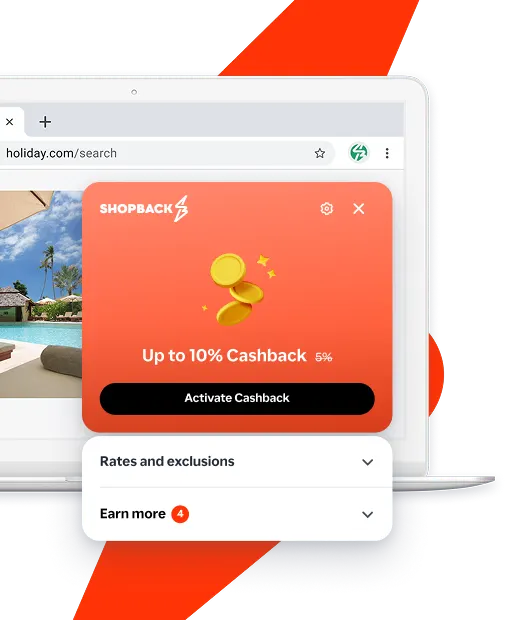
Never miss Cashback on Adobe
Get instant alerts on Cashback when you shop online with the ShopBack extension.
Cashback tips
Check carefully for Cashback exclusions and caps before you buy or book to avoid disappointment. Don't forget the terms and conditions on any promotion and campaign pages.
Complete your shopping in one go: Always start from this platform to visit the store directly, for every new transaction. If your store visit is interrupted by an app update or download screen, restart your shopping from our platform.

Don't click on any third party links or extensions or use VPN or adblocking software, as they could result in your Cashback not being tracked. Some examples include: Facebook ads, Google Ads, other loyalty or cashback extension links.

For Adobe, you need to clear your cart, close the Adobe app, open this platform to visit the Adobe app or website and complete your purchase there in order to earn Cashback. You need to do this for each purchase.
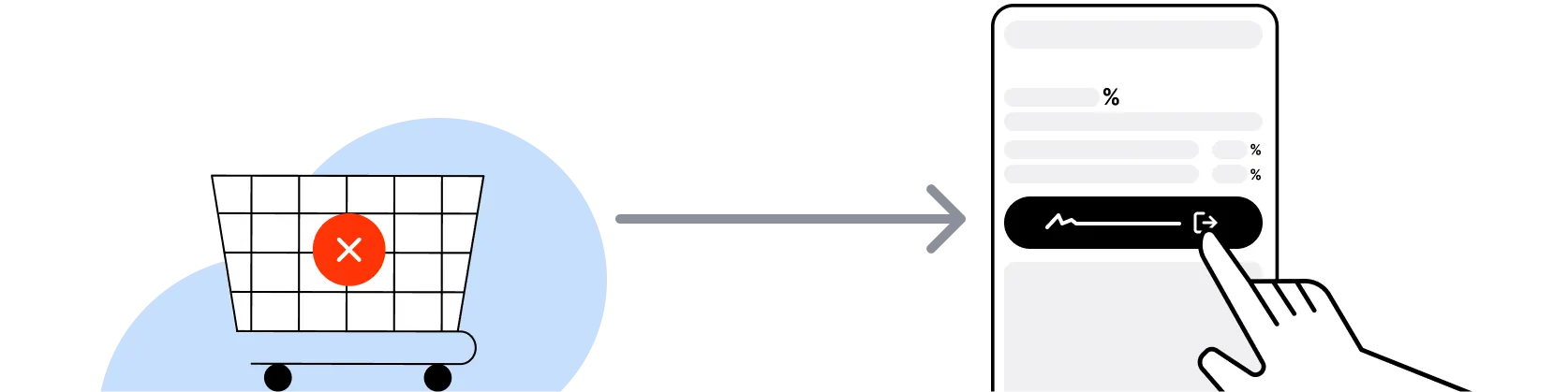
If you encounter payment errors during your purchase, you should restart your visit to the Adobe from this platform to ensure that your Cashback continues to be tracked.
Adobe can only confirm to us that a transaction is recorded if you accept all cookies that appear on their pages.
Shop and earn at similar stores
Adobe Shopping Guide on ShopBack Singapore
ShopBack Singapore is a cashback and rewards platform that returns a share of every eligible Adobe SG purchase to members as cash. New members can join free at shopback.sg/signup and earn cashback on Creative Cloud, Photography Plan, Acrobat Pro and Substance 3D orders on adobe.com/sea. The current Adobe SG cashback rate and any exclusions are shown in the rate table at the top of this page. For a broader view of eligible SG cashback merchants, see our SG cashback directory.
What is Adobe
Adobe is the US-based creative and document software company behind Photoshop, Illustrator, InDesign, Premiere Pro, After Effects, Lightroom, Acrobat Pro, and the Firefly generative AI models. The main consumer bundle is Creative Cloud All Apps, which packages over twenty desktop and mobile applications plus Firefly credits and cloud storage. Standalone plans cover Photography (Lightroom plus Photoshop), single apps, Acrobat Pro DC for PDF workflows, Adobe Express for social and marketing design, and Substance 3D for texturing and modelling. Plans can be paid monthly or annual, with student and teacher pricing at 60% or more off the standard All Apps rate. Shopping through ShopBack Singapore layers cashback on top of Adobe's paid rate at the current published rate on eligible orders.
Creative Cloud All Apps vs single-app plan Singapore
The Creative Cloud All Apps plan bundles Photoshop, Illustrator, InDesign, Premiere Pro, After Effects, Lightroom, Acrobat Pro, Adobe Express, Firefly credits, cloud storage and roughly twenty other apps, priced as a single subscription. A single-app plan (e.g. Photoshop only, Illustrator only, or Premiere Pro only) costs less but limits you to that app plus Firefly and storage. As a general rule, if you use three or more Adobe apps regularly, All Apps is usually the more economical choice; if you only use Photoshop and Lightroom, the Photography Plan is typically the cheapest way to get both. Activate ShopBack Singapore before clicking through so cashback applies on the plan you pick at the current published rate on eligible orders.
Adobe Photography Plan Singapore
The Photography Plan bundles Lightroom, Lightroom Classic, and Photoshop plus a set amount of cloud storage (typically 20GB or 1TB depending on the tier). It's usually the cheapest way to get Photoshop, and the default choice for hobbyist and semi-pro photographers who don't need Illustrator, Premiere Pro, or InDesign. If you also need vector work or video editing, All Apps usually beats stacking multiple single-app subscriptions.
Acrobat Pro DC Singapore
Acrobat Pro DC is Adobe's paid PDF workflow product: editing PDFs, combining files, e-signatures with Acrobat Sign, redaction, OCR of scanned documents, and Fill & Sign. Individual, Teams and Enterprise plans exist. For occasional PDF editing, alternatives like Foxit PDF or free tools may cover the basics; for professional PDF workflows and legally-binding e-signatures, Acrobat Pro remains the default. Activate ShopBack Singapore before clicking through so cashback applies at the current published rate on eligible orders.
Adobe monthly vs annual plan Singapore
Adobe offers two payment cadences on most plans. The annual plan (paid monthly or paid upfront) locks in a lower monthly rate but commits you for twelve months, with early-cancellation fees generally applying if you exit before the term. The month-to-month plan is more flexible but priced higher per month. If you know you'll use the software for a full year (freelancers, students, working creatives), annual usually wins; if you only need it for a short project, month-to-month or the Photography Plan usually wins. Paid-upfront annual sometimes surfaces a further discount versus paid-monthly annual.
Adobe student and teacher discount Singapore
Adobe offers a Students & Teachers plan on Creative Cloud All Apps at roughly 60% or more off the standard rate for the first year, with subsequent years at a smaller ongoing discount. Eligibility requires proof of enrolment or teaching status (student ID, enrolment letter, faculty ID) verified via SheerID or equivalent. Once verified, the discounted plan works across all All Apps, giving students the cheapest legitimate way to run the full Adobe stack. Activate ShopBack Singapore before clicking through so cashback applies on top of the student rate at the current published rate on eligible orders.
Adobe Black Friday, 11.11 and Boxing Day Singapore
Adobe runs its deepest annual discounts around Black Friday and Cyber Monday (late November), with additional promotional windows around 11.11, Boxing Day, and back-to-school. Discounts typically hit Creative Cloud All Apps annual plans for both new subscribers and lapsed users returning, with student pricing sometimes stacked on top for verified users. These are the strongest windows of the year to lock in a twelve-month plan at the lowest headline rate. Activate ShopBack Singapore before clicking through so cashback applies on top of the sale rate on eligible orders.
Adobe Firefly generative AI Singapore
Firefly is Adobe's family of generative AI models for image generation, text effects, and generative fill inside Photoshop, Illustrator and Premiere Pro. Firefly credits are bundled into most Creative Cloud plans, with the exact monthly credit allowance varying by tier (Photography Plan, single-app plan, All Apps). Additional credit packs can be purchased if the monthly allowance runs out. For workflows built around brand-safe commercial-use imagery, Firefly is trained on licensed and public-domain content, which is a meaningful distinction from some third-party generative tools.
Adobe Express vs Canva Singapore
Adobe Express and Canva both target the same use case: quick social graphics, marketing assets, presentations, and short videos with a browser-first workflow and templates. Canva has a wider template library, a lower learning curve, and stronger team collaboration for non-designers. Adobe Express integrates deeper with Photoshop, Illustrator, and Firefly, and inherits Adobe's font library and asset pipeline. For teams already inside the Creative Cloud stack, Express is usually the more coherent choice; for teams with no Adobe context, Canva is usually the faster ramp. Activate ShopBack Singapore before clicking through to Adobe so cashback applies on eligible plans.
Substance 3D Singapore
Substance 3D is Adobe's 3D content creation collection for texturing, modelling, materials, and rendering, covering Substance 3D Painter, Designer, Sampler, Stager, and Modeler plus Assets access. It's used across game development, product visualisation, VFX, and architectural viz. Substance 3D is sold as its own subscription tier separate from the standard Creative Cloud All Apps plan for individuals, though Teams and Enterprise All Apps bundles typically include Substance access. If your workflow is primarily 3D, the standalone Substance 3D plan usually beats All Apps.
Adobe vs Figma vs Canva vs Affinity Singapore
Adobe is the incumbent full-stack creative suite covering imaging, vector, layout, video, motion, and PDF workflows under one subscription. Figma leads on collaborative UI and product design with a real-time multiplayer model and free tier for individuals. Canva leads on templated social and marketing design with a lower learning curve for non-designers. Affinity (Photo, Designer, Publisher) offers a one-time-purchase alternative to Photoshop, Illustrator, and InDesign without ongoing subscription, popular with hobbyists and small studios. Procreate is the iPad-native illustration alternative. DaVinci Resolve and Final Cut Pro are the main Premiere Pro alternatives for video; Capture One is the main Lightroom alternative for pro photography. Choose based on the workflow you actually run, not the brand.
How do I cancel an Adobe plan in Singapore?
Manage or cancel subscriptions via account.adobe.com under Plans. Month-to-month plans can be cancelled anytime without a fee. Annual plans paid monthly generally incur an early-cancellation fee equal to 50% of the remaining term if cancelled more than 14 days after purchase; within the first 14 days, a full refund typically applies. Annual paid-upfront plans follow their own refund terms. Check current Adobe cancellation policy before committing to an annual term.
How do I activate ShopBack cashback for Adobe in Singapore?
Activate cashback via ShopBack Singapore before visiting adobe.com/sea, and complete the purchase in the same session. Avoid unsupported voucher codes or external referral links, which can break tracking and cancel cashback. See the current cashback rate table above.
Can I stack Adobe promotions with ShopBack cashback in Singapore?
Adobe promotional pricing (Black Friday, student rate, seasonal sales) and ShopBack cashback may be stackable on eligible orders. Stacking eligibility varies by promotion and plan type (some renewals, gift memberships, and Enterprise plans are excluded) and is subject to current Adobe and ShopBack Singapore terms. Activate ShopBack Singapore before clicking through and verify tracking after checkout.
Is Adobe Creative Cloud worth it for Singapore buyers?
Generally yes for anyone earning income from creative work, running client projects across imaging, vector, layout, or video, or studying in a design field. The All Apps subscription is usually cheaper than stacking Affinity, Capture One, DaVinci Resolve, and Figma if you actually use the range. For occasional Photoshop-only or Lightroom-only use, the Photography Plan or a single-app plan usually captures better value. Verified students should typically take the Students & Teachers rate. Combining the right plan tier with Black Friday timing where possible and ShopBack Singapore cashback typically captures the best overall value on eligible orders.
Cashback rates, plan pricing, student and teacher eligibility, Firefly credit allocation, and Adobe cancellation terms are subject to change; verify the current rate table on this page and Adobe's own terms on adobe.com/sea before purchase. Content updated 2026-07-20.